100+ Best Hypic AI Expand Prompts 2026
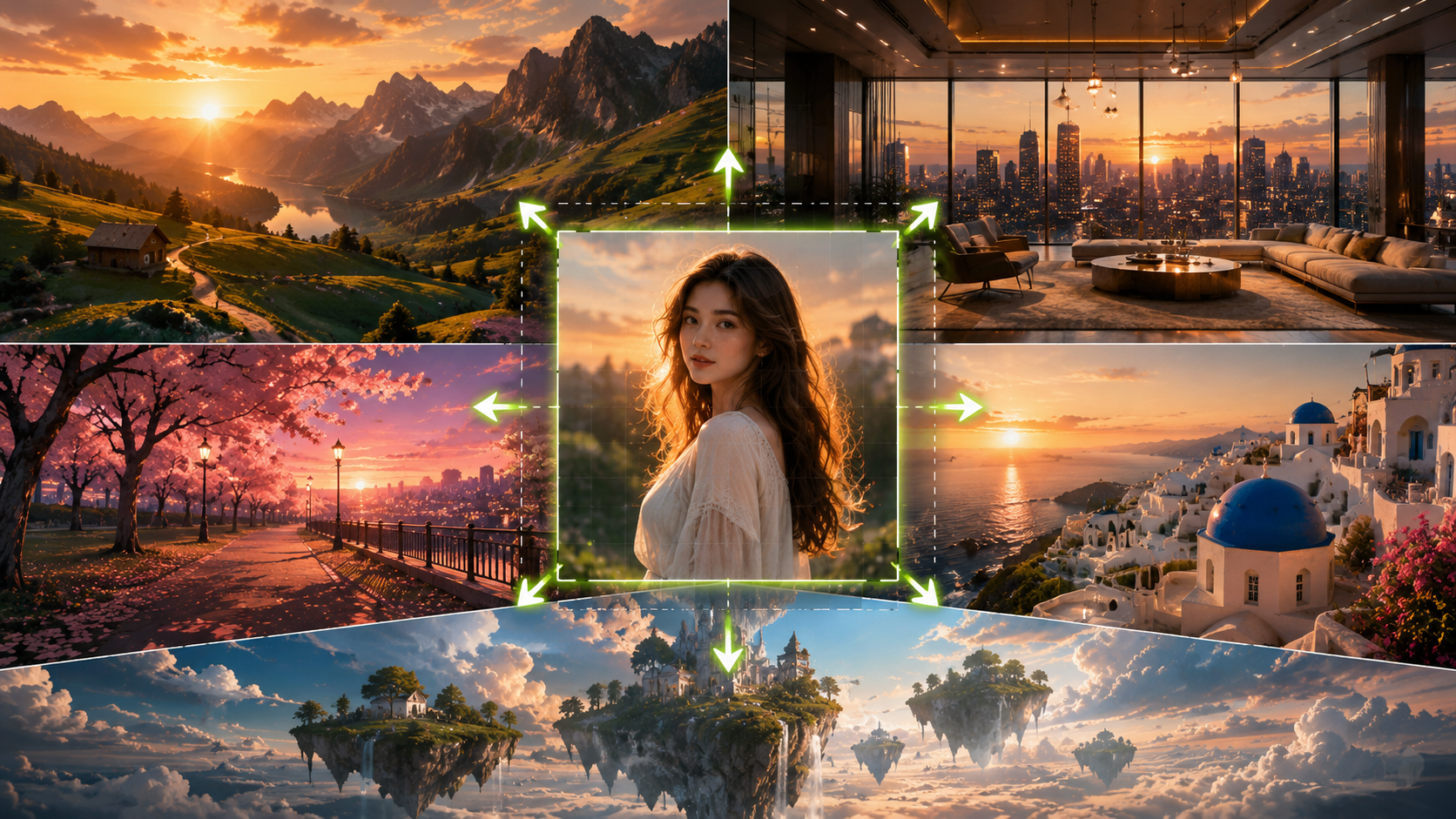
Hypic AI Expand Prompts 2026 are helping creators transform ordinary photos into professional-looking images with just a few words. Whether you want to create cinematic landscapes, luxury interiors, fantasy scenes, or social media-ready backgrounds, the right prompt can dramatically improve your results.
Many users now use Hypic AI Expand to extend image borders, fix awkward crops, and create entirely new environments around their photos. This guide contains 100+ copy-and-paste prompts organized by category, along with practical tips for getting cleaner and more realistic AI expansions.
Quick Answer
The best Hypic AI Expand prompts are detailed, descriptive, and focused on the environment you want to create. Instead of writing “add background,” describe lighting, textures, scenery, mood, and composition.
Prompt Formula:
Environment + Lighting + Textures + Mood + Quality
Example:
“Cinematic mountain landscape, golden sunset lighting, realistic trees and clouds, dramatic atmosphere, ultra-detailed seamless extension”
What Is Hypic AI Expand?
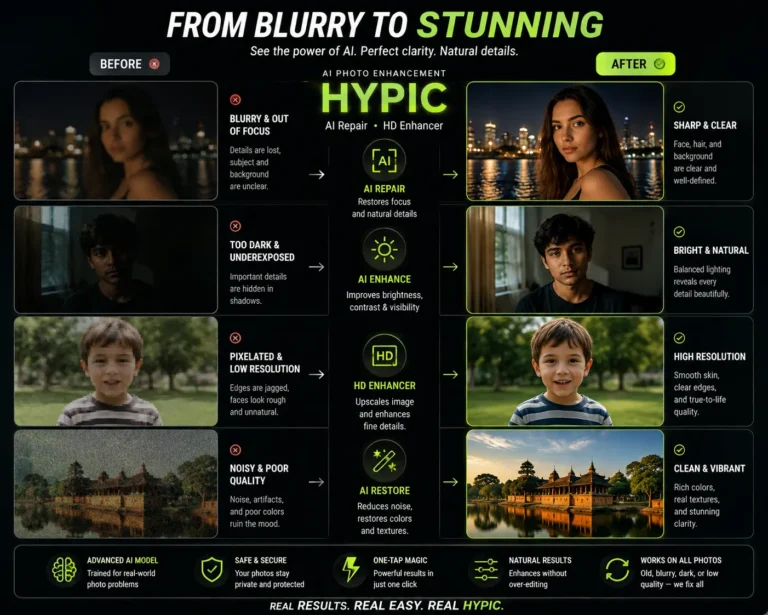
Hypic AI Expand is an AI outpainting tool that extends photos beyond their original borders. Instead of cropping images, it intelligently generates new content that matches the existing photo.
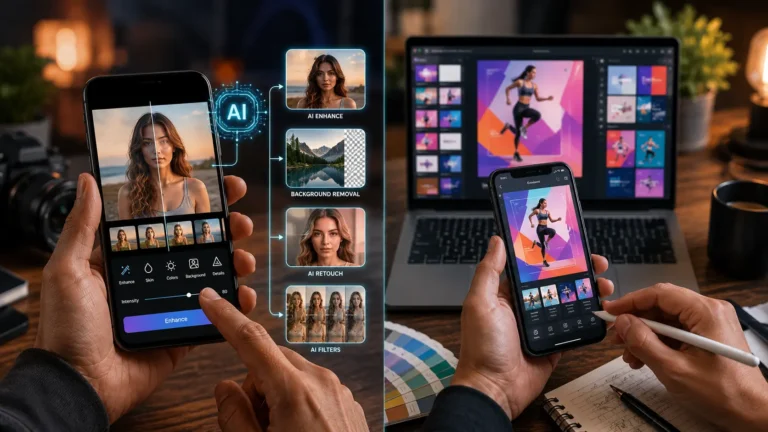
The feature uses AI-powered photo editing software to analyze colors, textures, lighting, and patterns. It can create seamless extensions for portraits, landscapes, travel photos, and social media content.
Creators frequently use Hypic AI Expand for:
- Canvas expansion
- Photo background extension
- Aspect ratio changes
- Instagram post resizing
- Cinematic wide-format images
- Social media content creation
Unlike traditional cropping tools, AI Expand helps preserve composition while creating additional visual space.
How to Use AI Prompts in Hypic AI Expand
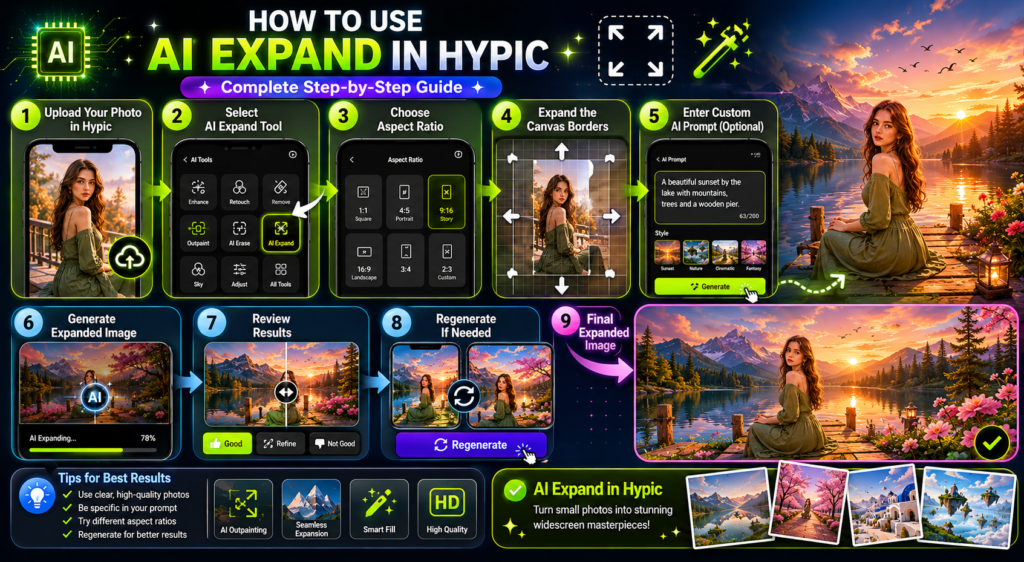
Many beginners confuse automatic autofill with prompt-based expansion. Understanding both methods will improve your results significantly.
Automatic Autofill Mode :
Autofill mode generates missing areas automatically based on the existing image.
Best for:
- Sky extensions
- Landscape continuation
- Simple background expansion
- Quick aspect ratio adjustments
Prompt-Based Expansion Mode :
Prompt-driven expansion allows you to guide the AI using custom text prompts.
Steps:
- Open your photo in Hypic.
- Select AI Expand.
- Choose your new aspect ratio.
- Expand the canvas area.
- Enter a custom prompt.
- Generate the image.
- Review and regenerate if needed.
Prompt-based editing gives you more creative control and often produces better results for complex scenes.
Cinematic AI Expand Prompts
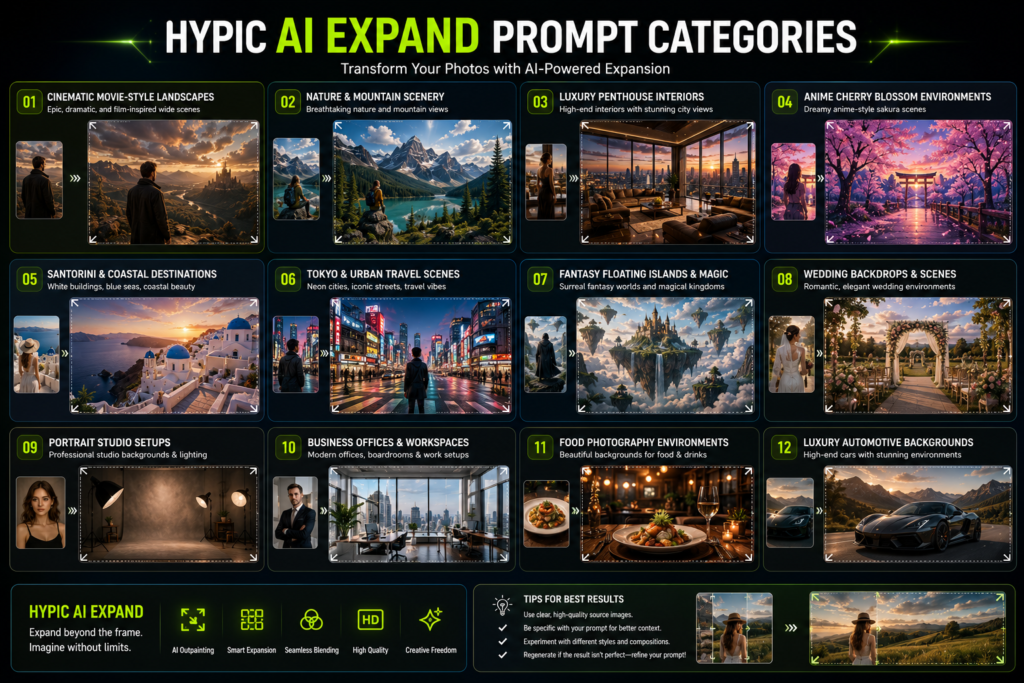
- Cinematic wide-format movie scene with dramatic sunset lighting
- Hollywood film background with soft depth of field
- Golden hour city skyline with realistic reflections
- Rainy cyberpunk street with neon signs
- Epic mountain valley cinematic landscape
- Film-inspired coastal highway at sunset
- Moody urban rooftop with skyline view
- Vintage film set with soft grain texture
- Desert road stretching into the horizon
- Wide-angle forest scene with fog and sun rays
Nature & Landscape Prompts
- Endless mountain range with realistic clouds
- Beautiful alpine lake with crystal reflections
- Lush green forest with soft sunlight
- Tropical beach with turquoise water
- Vast lavender fields at sunset
- Waterfall surrounded by moss-covered rocks
- Autumn forest with colorful leaves
- Snow-covered valley under blue skies
- Wildflower meadow with natural lighting
- Scenic countryside with rolling hills
Luxury Room Prompts
- Modern luxury penthouse with city view
- Elegant marble living room with warm lighting
- Luxury hotel suite interior
- High-end minimalist apartment design
- Luxury walk-in closet with designer furniture
- Modern executive office interior
- Premium home theater room
- Contemporary luxury dining room
- Designer bedroom with panoramic windows
- Luxury villa interior with natural light
Anime Scenery Prompts
- Anime cherry blossom park at sunset
- Fantasy anime city with glowing lights
- Anime mountain village with vibrant sky
- Japanese shrine surrounded by nature
- Anime school rooftop at golden hour
- Magical anime forest with glowing plants
- Anime ocean coastline with dramatic clouds
- Dreamy anime landscape with floating islands
- Anime train station in the rain
- Anime countryside road with flowers
Travel Photography Prompts
- Santorini street with white buildings
- Paris café overlooking historic architecture
- Tokyo neon street at night
- Tropical island resort with ocean view
- Italian countryside village
- Dubai luxury skyline
- Ancient temple surrounded by mountains
- European cobblestone street
- Scenic coastal road with cliffs
- Historic city square with fountains
Social Media Aesthetic Prompts
- Clean girl aesthetic room with natural light
- Minimal beige aesthetic background
- Soft pastel influencer backdrop
- Modern lifestyle studio setup
- Trendy coffee shop environment
- Fashion editorial street aesthetic
- Pinterest-inspired home decor scene
- Cozy reading corner with warm tones
- Neutral-toned content creator workspace
- Viral Instagram photo dump aesthetic
Fantasy AI Expand Prompts
- Floating islands above the clouds
- Magical kingdom with crystal towers
- Enchanted forest glowing at night
- Fantasy castle overlooking mountains
- Mystic portal surrounded by energy
- Dragon valley with dramatic skies
- Celestial city among the stars
- Magical waterfall flowing into clouds
- Ancient fantasy ruins with vines
- Cosmic dreamscape with galaxies
Wedding Background Prompts
- Elegant wedding venue with floral decorations
- Romantic garden ceremony setting
- Luxury ballroom wedding reception
- Beach wedding at sunset
- Floral arch surrounded by roses
- Outdoor wedding under fairy lights
- Classic church wedding interior
- Luxury estate wedding backdrop
- White and gold wedding stage
- Romantic lakeside wedding setting
Studio & Portrait Prompts
- Professional photography studio backdrop
- Clean white portrait background
- Fashion editorial studio setup
- Soft neutral portrait environment
- Luxury beauty photography backdrop
- Minimalist headshot background
- Modern content creator studio
- Dark moody portrait studio
- Elegant fine-art portrait backdrop
- Corporate professional headshot background
Seasonal Prompts
- Cozy autumn park with golden leaves
- Snow-covered winter wonderland
- Spring cherry blossom festival scene
- Summer beach vacation backdrop
- Halloween-themed neighborhood
- Christmas living room with decorations
- New Year’s celebration lights
- Rainy monsoon cityscape
- Sunny spring countryside
- Festive holiday market atmosphere
Business & Office Prompts
- Modern startup office workspace
- Luxury executive boardroom
- Contemporary coworking space
- Professional corporate office
- Modern reception area
- Creative agency workspace
- Technology company headquarters
- Minimalist business environment
Food Photography Prompts
- Rustic wooden dining table
- Luxury restaurant dining setup
- Modern kitchen counter background
- Coffee shop breakfast scene
- Gourmet food presentation table
- Elegant dessert photography backdrop
- Outdoor picnic environment
- Professional food studio setup
Car Photography Prompts
- Coastal highway during sunset
- Luxury showroom with reflections
- Mountain road adventure scene
- Urban city street at night
- Desert highway under dramatic sky
- Racing track environment
- Forest road with cinematic lighting
- Futuristic automotive showroom
Pro Tips for Better AI Expand Results
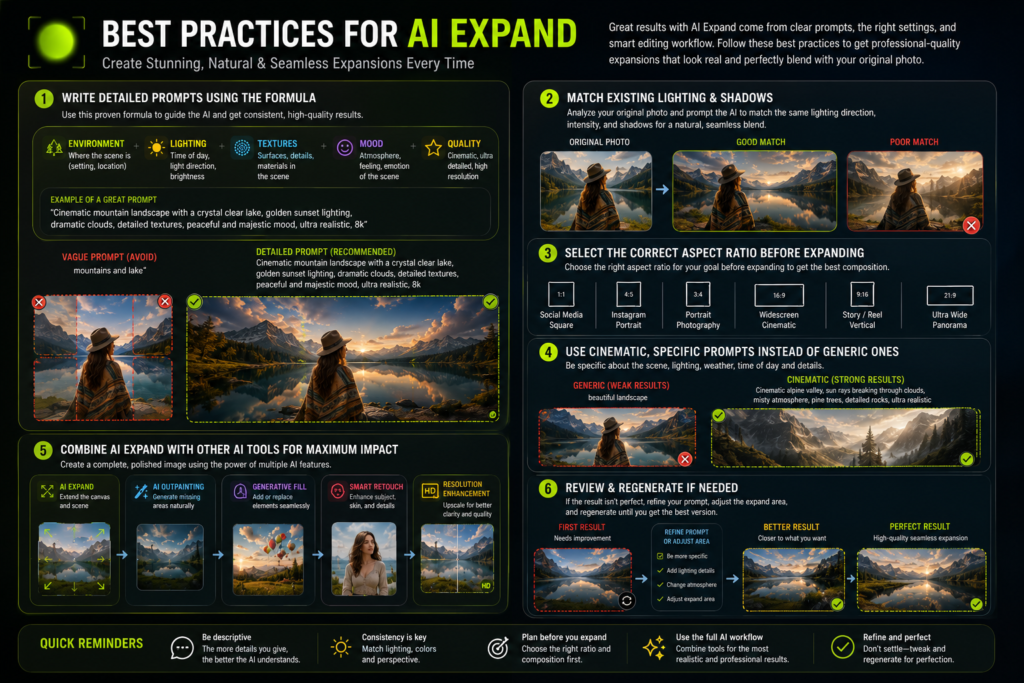
The quality of AI Expand results depends heavily on your original image and prompt quality.
Use Clear Descriptions :
Avoid vague prompts like:
- Nice background
- Better scenery
- Cool environment
Instead use:
- Cinematic mountain landscape with golden sunlight
- Luxury penthouse interior with city skyline
- Anime cherry blossom park at sunset
Match Existing Lighting :
If your photo is bright and sunny, choose prompts with similar lighting.
Matching:
- Colors
- Shadows
- Direction of light
- Environment
helps create seamless extension.
Prepare Aspect Ratios First :
Many creators use AI Expand to convert portrait photos into wider formats.
Common uses include:
- Instagram landscape posts
- YouTube thumbnails
- TikTok covers
- Cinematic widescreen images
Choosing the correct crop before expansion usually improves continuity.
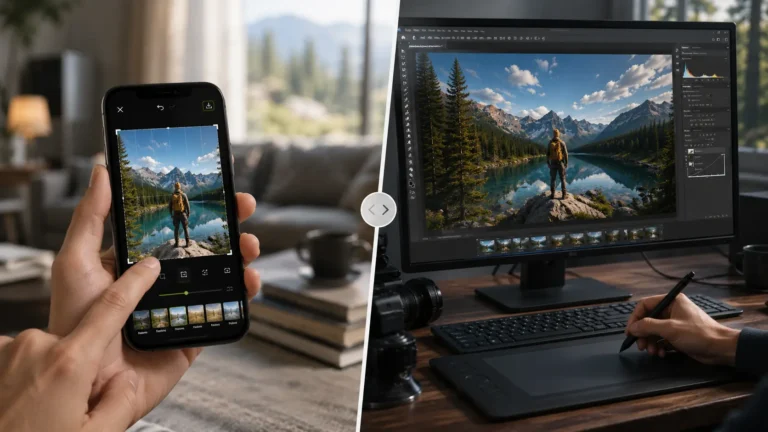
Use AI Features Together :
For better results, combine:
- AI outpainting
- Generative fill
- Photo background extension
- Smart retouching
- Resolution enhancement
This workflow often produces cleaner and more natural-looking images.
Conclusion
Hypic AI Expand has become one of the most popular tools for extending photos, creating custom backgrounds, and transforming ordinary images into social-media-ready content. The combination of automatic autofill and prompt-driven generation gives users both speed and creative flexibility.
With these Hypic AI Expand Prompts 2026, you can experiment with cinematic scenes, fantasy worlds, luxury interiors, travel photography, and much more. Start with the prompts above, customize them for your style, and discover how far AI-powered mobile photo editing can take your creativity.